package com.example.myapp.services

import android.app.NotificationChannel
import android.app.NotificationManager
import android.app.PendingIntent
import android.app.Service
import android.content.Context
import android.content.Intent
import android.os.Build
import android.os.IBinder
import androidx.core.app.NotificationCompat
import com.example.myapp.R
import com.example.myapp.ui.MainActivity
import kotlinx.coroutines.*
import java.io.File

class UploadService : Service() {

    private val serviceScope = CoroutineScope(Dispatchers.IO + SupervisorJob())
    private val notificationId = 2001

    companion object {
        private const val CHANNEL_ID = "upload_channel"
        const val ACTION_START_UPLOAD = "action_start_upload"
        const val ACTION_CANCEL_UPLOAD = "action_cancel_upload"
        const val EXTRA_FILE_PATH = "extra_file_path"

        fun startUpload(context: Context, filePath: String) {
            val intent = Intent(context, UploadService::class.java).apply {
                action = ACTION_START_UPLOAD
                putExtra(EXTRA_FILE_PATH, filePath)
            }
            context.startService(intent)
        }
    }

    override fun onCreate() {
        super.onCreate()
        createNotificationChannel()
    }

    override fun onStartCommand(intent: Intent?, flags: Int, startId: Int): Int {
        when (intent?.action) {
            ACTION_START_UPLOAD -> {
                val filePath = intent.getStringExtra(EXTRA_FILE_PATH)
                filePath?.let { startUpload(it) }
            }
            ACTION_CANCEL_UPLOAD -> {
                stopSelf()
            }
        }
        return START_NOT_STICKY
    }

    private fun startUpload(filePath: String) {
        val notification = createNotification("Uploading...", 0)
        startForeground(notificationId, notification)

        serviceScope.launch {
            try {
                val file = File(filePath)
                uploadFile(file) { progress ->
                    updateNotification("Uploading...", progress)
                }

                updateNotification("Upload complete", 100)
                delay(2000)
                stopForeground(true)
                stopSelf()
            } catch (e: Exception) {
                updateNotification("Upload failed", 0)
                delay(2000)
                stopForeground(true)
                stopSelf()
            }
        }
    }

    private suspend fun uploadFile(file: File, onProgress: (Int) -> Unit) {
        // Simulate upload progress
        for (i in 0..100 step 10) {
            delay(500)
            onProgress(i)
        }
    }

    private fun createNotification(title: String, progress: Int): android.app.Notification {
        val intent = Intent(this, MainActivity::class.java)
        val pendingIntent = PendingIntent.getActivity(
            this,
            0,
            intent,
            PendingIntent.FLAG_IMMUTABLE
        )

        val cancelIntent = Intent(this, UploadService::class.java).apply {
            action = ACTION_CANCEL_UPLOAD
        }
        val cancelPendingIntent = PendingIntent.getService(
            this,
            0,
            cancelIntent,
            PendingIntent.FLAG_IMMUTABLE
        )

        return NotificationCompat.Builder(this, CHANNEL_ID)
            .setContentTitle(title)
            .setSmallIcon(R.drawable.ic_upload)
            .setProgress(100, progress, progress == 0)
            .setContentIntent(pendingIntent)
            .addAction(R.drawable.ic_cancel, "Cancel", cancelPendingIntent)
            .setOngoing(true)
            .build()
    }

    private fun updateNotification(title: String, progress: Int) {
        val notification = createNotification(title, progress)
        val notificationManager = getSystemService(Context.NOTIFICATION_SERVICE)
            as NotificationManager
        notificationManager.notify(notificationId, notification)
    }

    private fun createNotificationChannel() {
        if (Build.VERSION.SDK_INT >= Build.VERSION_CODES.O) {
            val channel = NotificationChannel(
                CHANNEL_ID,
                "File Uploads",
                NotificationManager.IMPORTANCE_LOW
            ).apply {
                description = "Shows progress of file uploads"
            }

            val notificationManager = getSystemService(Context.NOTIFICATION_SERVICE)
                as NotificationManager
            notificationManager.createNotificationChannel(channel)
        }
    }

    override fun onBind(intent: Intent?): IBinder? = null

    override fun onDestroy() {
        super.onDestroy()
        serviceScope.cancel()
    }
}
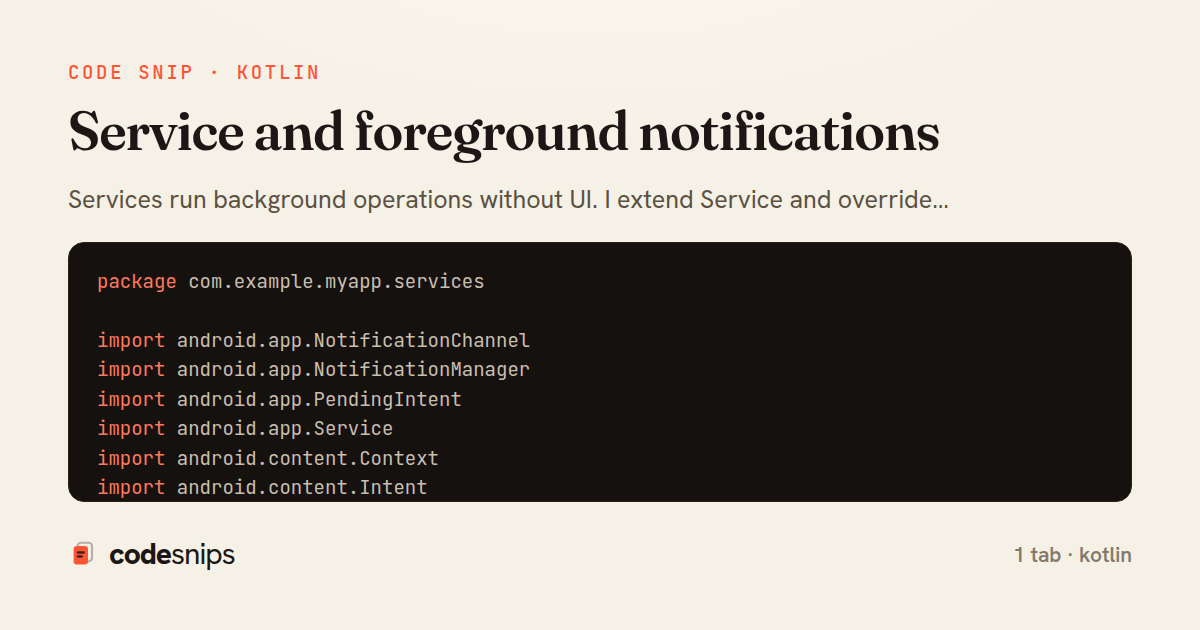
Services run background operations without UI. I extend Service and override onStartCommand() for started services or onBind() for bound services. Foreground services use startForeground() with ongoing notification, required for long-running tasks visible to users. START_STICKY restarts service after system kills it. IntentService handles async work on worker threads automatically. Bound services enable client-server IPC with Binder. JobIntentService replaces IntentService for API 26+. Services require manifest declaration and runtime permissions. WorkManager or foreground services replaced many background service use cases. Foreground services ensure critical operations—music playback, navigation, file uploads—aren't killed, while keeping users informed.
Related snips
package com.example.myapp

import android.app.Application
import dagger.hilt.android.HiltAndroidApp

@HiltAndroidApp
Dependency injection with Hilt
package com.example.myapp.ui

import androidx.lifecycle.*
import kotlinx.coroutines.launch

class UserViewModel(
LiveData transformations and mediators
package com.example.myapp.utils

import android.os.Build
import android.os.StrictMode
import android.os.Trace
import timber.log.Timber
Performance optimization and profiling
package com.example.myapp.widget

import android.app.PendingIntent
import android.appwidget.AppWidgetManager
import android.appwidget.AppWidgetProvider
import android.content.Context
App widgets for home screen
package com.example.myapp.data.repository

import com.example.myapp.data.local.PostDao
import com.example.myapp.data.local.PostEntity
import com.example.myapp.data.remote.ApiService
import com.example.myapp.models.Post
Unit testing with JUnit and MockK
package com.example.myapp.utils

import android.app.NotificationChannel
import android.app.NotificationChannelGroup
import android.app.NotificationManager
import android.app.PendingIntent
Notification channels and categories
Share this code
Here's the card — post it anywhere.