javascript
267 lines · 1 tab
Alex Chang
Feb 2026
1 tab
// 1. Basic WebSocket connection
const socket = new WebSocket('wss://example.com/ws');

// Connection opened
socket.addEventListener('open', (event) => {
  console.log('Connected to WebSocket server');
  socket.send('Hello Server!');
});

// Listen for messages
socket.addEventListener('message', (event) => {
  console.log('Message from server:', event.data);

  // Parse JSON if needed
  try {
    const data = JSON.parse(event.data);
    handleMessage(data);
  } catch (error) {
    console.log('Received text:', event.data);
  }
});

// Handle errors
socket.addEventListener('error', (error) => {
  console.error('WebSocket error:', error);
});

// Connection closed
socket.addEventListener('close', (event) => {
  console.log('Disconnected:', event.code, event.reason);
  if (!event.wasClean) {
    console.log('Connection lost unexpectedly');
  }
});

// Send data
function sendMessage(message) {
  if (socket.readyState === WebSocket.OPEN) {
    socket.send(JSON.stringify(message));
  } else {
    console.error('WebSocket not open');
  }
}

// 2. WebSocket wrapper with auto-reconnect
class WebSocketClient {
  constructor(url, protocols = []) {
    this.url = url;
    this.protocols = protocols;
    this.reconnectInterval = 1000;
    this.maxReconnectInterval = 30000;
    this.reconnectDecay = 1.5;
    this.messageQueue = [];
    this.handlers = {};

    this.connect();
  }

  connect() {
    console.log('Connecting to WebSocket...');
    this.socket = new WebSocket(this.url, this.protocols);

    this.socket.onopen = (event) => {
      console.log('WebSocket connected');
      this.reconnectInterval = 1000;

      // Send queued messages
      while (this.messageQueue.length > 0) {
        const message = this.messageQueue.shift();
        this.socket.send(message);
      }

      this.trigger('open', event);
    };

    this.socket.onmessage = (event) => {
      try {
        const data = JSON.parse(event.data);
        this.trigger('message', data);

        // Handle specific message types
        if (data.type) {
          this.trigger(data.type, data.payload);
        }
      } catch (error) {
        this.trigger('message', event.data);
      }
    };

    this.socket.onerror = (error) => {
      console.error('WebSocket error:', error);
      this.trigger('error', error);
    };

    this.socket.onclose = (event) => {
      console.log('WebSocket closed');
      this.trigger('close', event);

      // Attempt reconnect
      setTimeout(() => {
        console.log(`Reconnecting in ${this.reconnectInterval}ms...`);
        this.reconnectInterval = Math.min(
          this.reconnectInterval * this.reconnectDecay,
          this.maxReconnectInterval
        );
        this.connect();
      }, this.reconnectInterval);
    };
  }

  send(data) {
    const message = typeof data === 'string' ? data : JSON.stringify(data);

    if (this.socket.readyState === WebSocket.OPEN) {
      this.socket.send(message);
    } else {
      // Queue message if not connected
      this.messageQueue.push(message);
    }
  }

  on(event, callback) {
    if (!this.handlers[event]) {
      this.handlers[event] = [];
    }
    this.handlers[event].push(callback);
  }

  off(event, callback) {
    if (this.handlers[event]) {
      this.handlers[event] = this.handlers[event].filter(
        (handler) => handler !== callback
      );
    }
  }

  trigger(event, data) {
    if (this.handlers[event]) {
      this.handlers[event].forEach((handler) => handler(data));
    }
  }

  close() {
    this.socket.close();
  }
}

// Usage
const ws = new WebSocketClient('wss://example.com/ws');

ws.on('open', () => {
  console.log('Connected!');
  ws.send({ type: 'auth', token: 'abc123' });
});

ws.on('message', (data) => {
  console.log('Received:', data);
});

ws.on('chat', (message) => {
  console.log('New chat message:', message);
});

// 3. Real-time chat example
class ChatClient {
  constructor(url, username) {
    this.username = username;
    this.ws = new WebSocketClient(url);
    this.messages = [];

    this.ws.on('open', () => {
      this.join();
    });

    this.ws.on('chat:message', (message) => {
      this.messages.push(message);
      this.renderMessage(message);
    });

    this.ws.on('chat:userJoined', (user) => {
      console.log(`${user.username} joined the chat`);
    });

    this.ws.on('chat:userLeft', (user) => {
      console.log(`${user.username} left the chat`);
    });
  }

  join() {
    this.ws.send({
      type: 'chat:join',
      payload: { username: this.username }
    });
  }

  sendMessage(text) {
    const message = {
      type: 'chat:message',
      payload: {
        text,
        username: this.username,
        timestamp: new Date().toISOString(),
      }
    };

    this.ws.send(message);
  }

  renderMessage(message) {
    const messageEl = document.createElement('div');
    messageEl.className = 'message';
    messageEl.innerHTML = `
      <strong>${message.username}</strong>: ${message.text}
    `;
    document.getElementById('messages').appendChild(messageEl);
  }
}

// 4. Heartbeat / ping-pong
class WebSocketWithHeartbeat extends WebSocketClient {
  constructor(url, heartbeatInterval = 30000) {
    super(url);
    this.heartbeatInterval = heartbeatInterval;
    this.pingTimeout = null;

    this.on('open', () => {
      this.startHeartbeat();
    });

    this.on('pong', () => {
      this.resetPingTimeout();
    });

    this.on('close', () => {
      this.stopHeartbeat();
    });
  }

  startHeartbeat() {
    this.heartbeatTimer = setInterval(() => {
      if (this.socket.readyState === WebSocket.OPEN) {
        this.send({ type: 'ping' });

        // Expect pong within 5 seconds
        this.pingTimeout = setTimeout(() => {
          console.log('Pong timeout, reconnecting...');
          this.socket.close();
        }, 5000);
      }
    }, this.heartbeatInterval);
  }

  stopHeartbeat() {
    if (this.heartbeatTimer) {
      clearInterval(this.heartbeatTimer);
    }
    if (this.pingTimeout) {
      clearTimeout(this.pingTimeout);
    }
  }

  resetPingTimeout() {
    if (this.pingTimeout) {
      clearTimeout(this.pingTimeout);
    }
  }
}
1 file · javascript
Explain with highlit
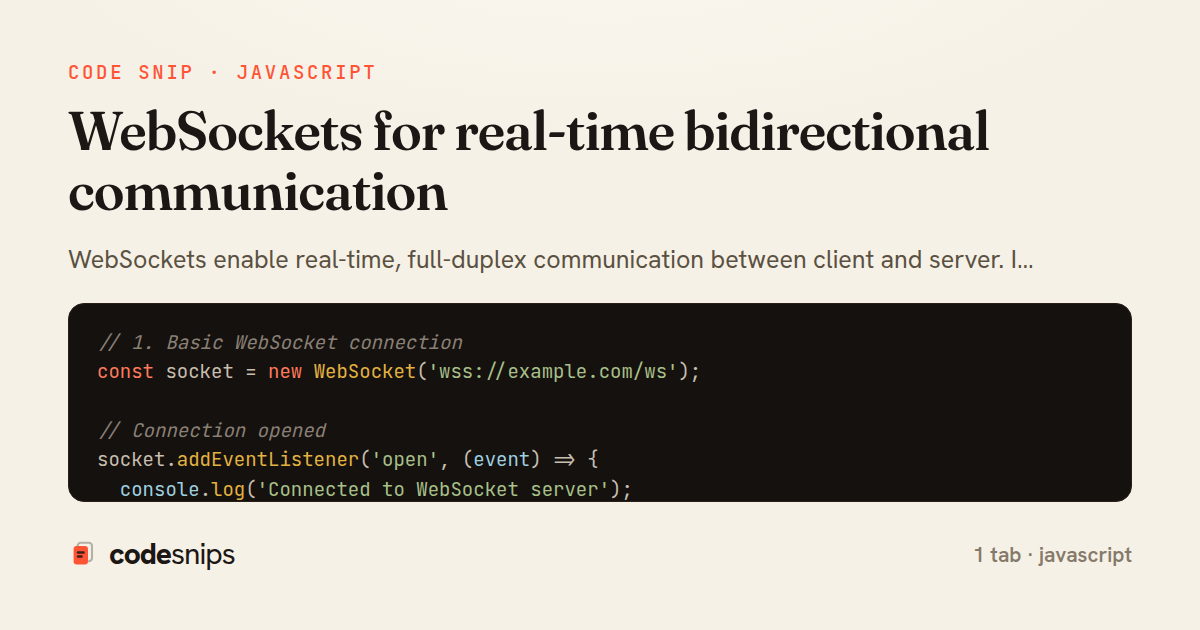
WebSockets enable real-time, full-duplex communication between client and server. I create WebSocket connections with new WebSocket(url) for persistent connections. The protocol uses ws:// or wss:// (secure) URLs. Events like onopen, onmessage, onerror, and onclose handle connection lifecycle. The send() method transmits data to the server. WebSockets are ideal for chat applications, live notifications, collaborative editing, and real-time dashboards. Automatic reconnection logic handles network disruptions. Message queuing ensures no data loss during disconnections. WebSockets dramatically improve real-time features over polling.
Related snips
typescript
export interface RetryOptions {
  retries: number;
  baseMs: number;
  maxMs: number;
  signal?: AbortSignal;
  onRetry?: (attempt: number, delay: number, err: unknown) => void;
Exponential backoff with jitter for retries
typescript
reliability
retry
by codesnips
2 tabs
javascript
// Creating a Promise
const myPromise = new Promise((resolve, reject) => {
  const success = true;

  setTimeout(() => {
    if (success) {
Promises and async/await patterns for asynchronous JavaScript
javascript
promises
async-await
by Alex Chang
1 tab
javascript
import { Controller } from "@hotwired/stimulus"
import Mousetrap from "mousetrap"

export default class extends Controller {
  connect() {
    // Global shortcuts
Keyboard shortcuts with Stimulus and Mousetrap
stimulus
javascript
ux
by Jordan Lee
2 tabs
javascript
// Get canvas and context
const canvas = document.getElementById('myCanvas');
const ctx = canvas.getContext('2d');

// 1. Basic shapes
// Rectangle (filled)
Canvas API for graphics and animations
canvas
javascript
graphics
by Alex Chang
1 tab
ruby
class Comment < ApplicationRecord
  belongs_to :article
  belongs_to :author, class_name: "User"

  validates :body, presence: true, length: { maximum: 2_000 }
Live comments with model broadcasts + turbo_stream_from
rails
hotwire
turbo
by codesnips
4 tabs
erb
<%# private stream: turbo signs the serialized record name %>
<%= turbo_stream_from current_user %>

<section class="notifications">
  <h1>Notifications</h1>
Turbo Streams + authorization: signed per-user stream name
rails
turbo
hotwire
by codesnips
3 tabs
Share this code
Here's the card — post it anywhere.