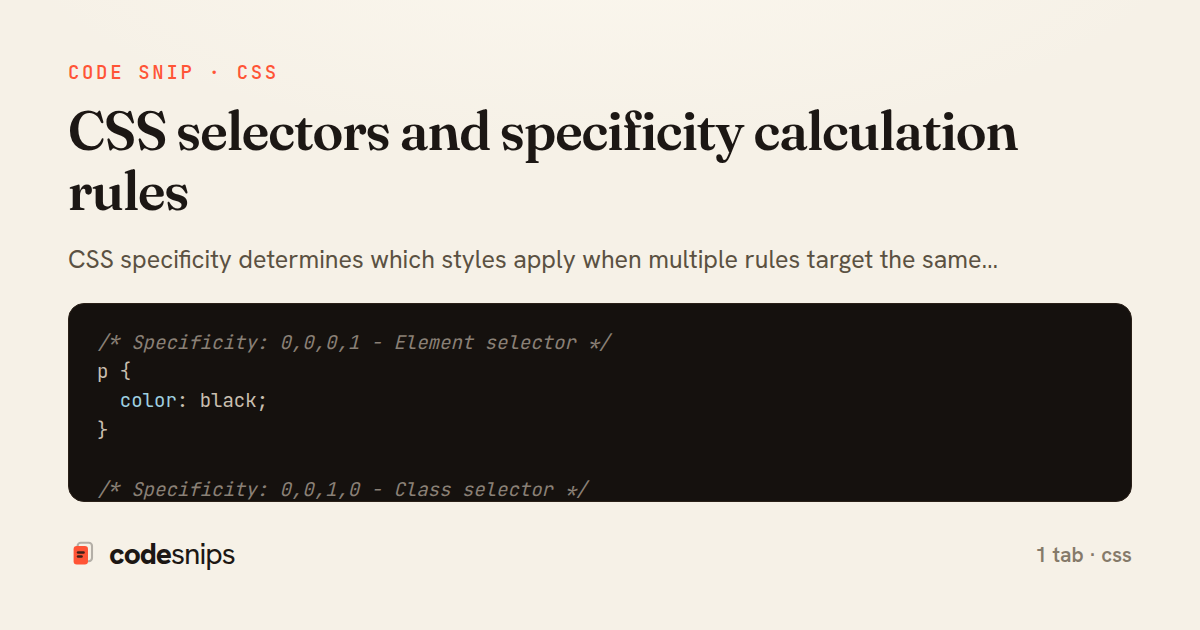
/* Specificity: 0,0,0,1 - Element selector */
p {
  color: black;
}

/* Specificity: 0,0,1,0 - Class selector */
.text {
  color: blue;
}

/* Specificity: 0,1,0,0 - ID selector */
#main-text {
  color: green;
}

/* Specificity: 0,0,1,1 - Class + Element */
p.highlight {
  color: yellow;
}

/* Specificity: 0,1,1,1 - ID + Class + Element */
#main p.highlight {
  color: orange;
}

/* Specificity: 1,0,0,0 - Inline style (written in HTML) */
/* <p style="color: red;">Highest specificity</p> */

/* !important overrides everything (avoid when possible) */
.important-text {
  color: purple !important; /* Wins over inline styles */
}

/* Attribute selectors - Specificity: 0,0,1,0 */
[data-theme="dark"] {
  background: #222;
}

[type="submit"] {
  background: blue;
}

[class*="btn"] { /* Contains "btn" */
  padding: 0.5rem 1rem;
}

[href^="https"] { /* Starts with https */
  color: green;
}

[href$=".pdf"] { /* Ends with .pdf */
  background: url(pdf-icon.png) no-repeat;
}

[lang|="en"] { /* Exact or with hyphen */
  quotes: '"' '"';
}

/* Pseudo-class selectors - Specificity: 0,0,1,0 */
a:hover {
  text-decoration: underline;
}

input:focus {
  outline: 2px solid blue;
}

li:first-child {
  font-weight: bold;
}

li:last-child {
  border-bottom: none;
}

li:nth-child(odd) {
  background: #f5f5f5;
}

li:nth-child(3n+1) { /* 1st, 4th, 7th... */
  color: red;
}

p:not(.exclude) {
  margin-bottom: 1rem;
}

/* Pseudo-element selectors - Specificity: 0,0,0,1 */
p::before {
  content: "→ ";
}

p::after {
  content: " ←";
}

::selection {
  background: yellow;
  color: black;
}

input::placeholder {
  color: #999;
  opacity: 1;
}

/* Modern pseudo-classes */
:is(h1, h2, h3) {
  /* Specificity = highest selector (h1) = 0,0,0,1 */
  font-family: 'Heading Font', sans-serif;
}

:is(.btn, #submit-btn) {
  /* Specificity = highest (#submit-btn) = 0,1,0,0 */
  padding: 0.5rem 1rem;
}

:where(h1, h2, h3) {
  /* Specificity = 0,0,0,0 - Zero specificity! */
  margin-top: 0;
}

/* :has() - parent selector */
.card:has(img) {
  display: grid;
  grid-template-columns: 200px 1fr;
}

form:has(input:invalid) {
  border-color: red;
}

/* Combinators */
/* Descendant - Specificity: 0,0,0,2 */
div p {
  color: blue;
}

/* Child - Specificity: 0,0,0,2 */
ul > li {
  list-style: none;
}

/* Adjacent sibling - Specificity: 0,0,0,2 */
h2 + p {
  font-size: 1.2rem;
}

/* General sibling - Specificity: 0,0,0,2 */
h2 ~ p {
  color: gray;
}

/* State pseudo-classes */
input:disabled {
  opacity: 0.5;
  cursor: not-allowed;
}

input:checked + label {
  font-weight: bold;
}

option:checked {
  background: lightblue;
}

:target {
  background: yellow; /* Element targeted by URL fragment */
}

/* Form validation pseudo-classes */
input:valid {
  border-color: green;
}

input:invalid {
  border-color: red;
}

input:required {
  border-left: 3px solid blue;
}

input:optional {
  border-left: 3px solid gray;
}

input:in-range {
  border-color: green;
}

input:out-of-range {
  border-color: red;
}

/* Structural pseudo-classes */
:root {
  --main-color: blue; /* Root element */
}

:empty {
  display: none; /* Elements with no children */
}

tr:nth-child(even) {
  background: #f9f9f9;
}

li:only-child {
  list-style: none;
}

/* Specificity comparison examples */
/* Specificity: 0,0,1,0 - Wins */
.btn { color: blue; }

/* Specificity: 0,0,0,1 - Loses */
button { color: red; }

/* Specificity: 0,1,0,0 - Wins */
#submit { color: green; }

/* Specificity: 0,0,2,1 - Loses */
button.btn.primary { color: yellow; }

/* Best practice: avoid overly specific selectors */
/* Bad - too specific */
body div.container ul.nav li.nav-item a.nav-link {
  color: blue;
}

/* Good - just enough specificity */
.nav-link {
  color: blue;
}

/* Using :where() for zero-specificity base styles */
:where(h1, h2, h3, h4, h5, h6) {
  margin: 0;
  font-weight: normal;
}

/* Easy to override later */
h1 {
  font-size: 2rem; /* 0,0,0,1 beats :where's 0,0,0,0 */
}

/* Custom data attribute selectors */
[data-size="small"] { font-size: 0.875rem; }
[data-size="medium"] { font-size: 1rem; }
[data-size="large"] { font-size: 1.25rem; }

[data-state~="active"] { /* Word in space-separated list */
  background: blue;
}
CSS specificity determines which styles apply when multiple rules target the same element. I calculate specificity as (inline, IDs, classes/attributes/pseudo-classes, elements/pseudo-elements). Inline styles have highest specificity at 1000. ID selectors score 100, class selectors 10, and element selectors 1. The !important flag overrides specificity but creates maintenance issues. Combining selectors increases specificity strategically. The :where() pseudo-class has zero specificity for flexible base styles. Using :is() takes the highest specificity from its argument list. Attribute selectors like [data-state="active"] have same specificity as classes. Understanding specificity prevents override wars and reduces !important usage.
Related snips
/* Interactive pseudo-classes */
a:link { color: blue; }
a:visited { color: purple; }
a:hover { text-decoration: underline; }
a:active { color: red; }
a:focus { outline: 2px solid orange; }
CSS pseudo-classes and pseudo-elements for advanced styling
import { useEffect, useRef, useState } from "react";

export type AsyncState<T> =
  | { status: "loading" }
  | { status: "error"; error: Error }
  | { status: "success"; data: T };
Frontend: skeleton loading instead of spinners
web: bin/rails server
css: bin/rails tailwindcss:watch
Tailwind CSS with Rails asset pipeline
-- SCHEMA DESIGN CHECKLIST

-- 1. Use appropriate data types
CREATE TABLE users_optimized (
  id SERIAL PRIMARY KEY,               -- Auto-increment
  uuid UUID DEFAULT gen_random_uuid(), -- UUID for external IDs
Database best practices and optimization checklist
// Theme switching with CSS variables
const themeToggle = document.getElementById('theme-toggle');
const root = document.documentElement;

// Load saved theme
const savedTheme = localStorage.getItem('theme') || 'light';
CSS custom properties (CSS variables) for dynamic theming
.turbo-progress-bar {
  height: 4px;
  background: linear-gradient(
    90deg,
    var(--progress-start, #6366f1),
    var(--progress-end, #ec4899)
Customize Turbo progress bar styling with Tailwind/CSS
Share this code
Here's the card — post it anywhere.