swift
139 lines · 1 tab
Sofia Martinez
Jan 2026
1 tab
import SwiftUI

struct ResponsiveGridView: View {
    let items: [GridItem]

    var body: some View {
        GeometryReader { geometry in
            let columns = calculateColumns(for: geometry.size.width)
            let spacing: CGFloat = 16
            let itemWidth = (geometry.size.width - spacing * CGFloat(columns + 1)) / CGFloat(columns)

            ScrollView {
                LazyVStack(spacing: spacing) {
                    ForEach(items.chunked(into: columns), id: \.self) { row in
                        HStack(spacing: spacing) {
                            ForEach(row) { item in
                                GridItemView(item: item)
                                    .frame(width: itemWidth, height: itemWidth)
                            }

                            // Fill remaining space if row is incomplete
                            if row.count < columns {
                                ForEach(0..<(columns - row.count), id: \.self) { _ in
                                    Color.clear
                                        .frame(width: itemWidth, height: itemWidth)
                                }
                            }
                        }
                    }
                }
                .padding(spacing)
            }
        }
    }

    private func calculateColumns(for width: CGFloat) -> Int {
        switch width {
        case 0..<400:
            return 2
        case 400..<600:
            return 3
        case 600..<900:
            return 4
        default:
            return 5
        }
    }
}

struct ParallaxHeaderView: View {
    let title: String
    let imageURL: URL

    var body: some View {
        ScrollView {
            GeometryReader { geometry in
                let offset = geometry.frame(in: .global).minY
                let height = max(200, 200 + offset)
                let opacity = max(0, min(1, 1 - offset / 200))

                AsyncImage(url: imageURL) { image in
                    image
                        .resizable()
                        .aspectRatio(contentMode: .fill)
                        .frame(width: geometry.size.width, height: height)
                        .clipped()
                        .offset(y: offset > 0 ? -offset : 0)
                } placeholder: {
                    Rectangle()
                        .fill(Color.gray)
                        .frame(height: height)
                }
                .overlay(
                    LinearGradient(
                        colors: [.clear, .black.opacity(0.7)],
                        startPoint: .top,
                        endPoint: .bottom
                    )
                )
                .overlay(
                    Text(title)
                        .font(.largeTitle)
                        .fontWeight(.bold)
                        .foregroundColor(.white)
                        .opacity(opacity)
                        .padding()
                    , alignment: .bottomLeading
                )
            }
            .frame(height: 200)

            // Content below header
            VStack(alignment: .leading, spacing: 20) {
                Text("Content")
                    .font(.title2)

                ForEach(0..<20) { index in
                    Text("Item \(index)")
                        .padding()
                        .frame(maxWidth: .infinity)
                        .background(Color.gray.opacity(0.1))
                        .cornerRadius(10)
                }
            }
            .padding()
        }
        .edgesIgnoringSafeArea(.top)
    }
}

struct CircularLayout: View {
    let items: [String]

    var body: some View {
        GeometryReader { geometry in
            let center = CGPoint(
                x: geometry.size.width / 2,
                y: geometry.size.height / 2
            )
            let radius = min(geometry.size.width, geometry.size.height) / 2.5

            ZStack {
                ForEach(Array(items.enumerated()), id: \.offset) { index, item in
                    let angle = (2 * .pi / Double(items.count)) * Double(index) - .pi / 2
                    let x = center.x + radius * cos(angle)
                    let y = center.y + radius * sin(angle)

                    Text(item)
                        .font(.headline)
                        .padding()
                        .background(Color.blue)
                        .foregroundColor(.white)
                        .cornerRadius(10)
                        .position(x: x, y: y)
                }
            }
        }
    }
}
1 file · swift
Explain with highlit
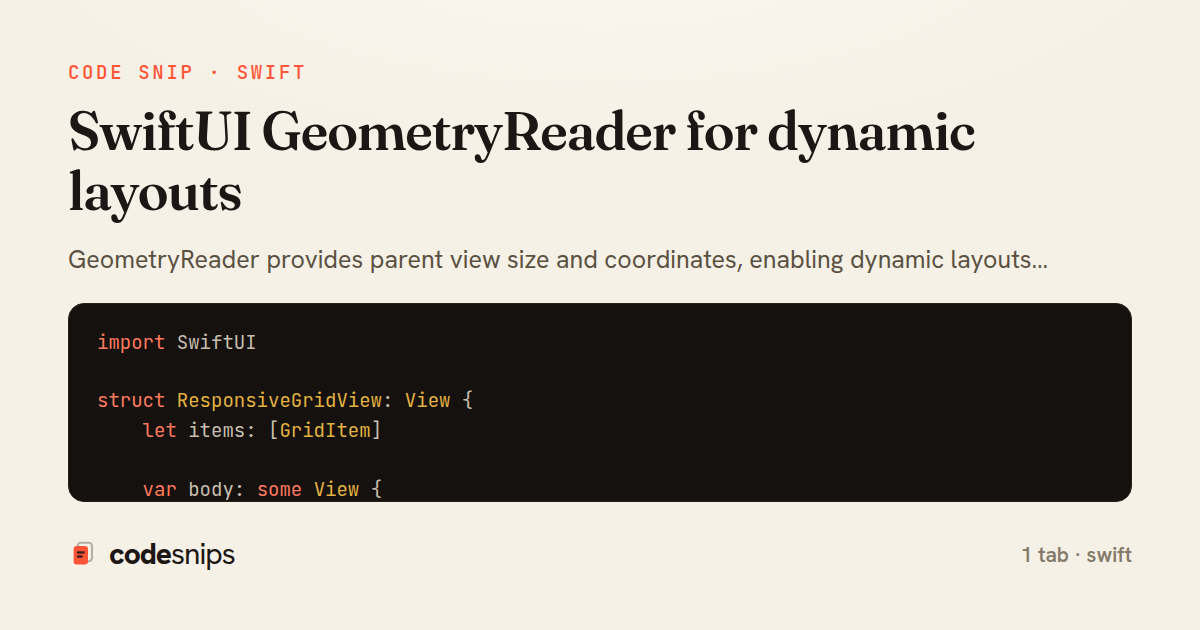
GeometryReader provides parent view size and coordinates, enabling dynamic layouts that adapt to available space. The reader passes a GeometryProxy with size and coordinate space info. I use it for responsive designs—calculate grid columns based on width, scale elements proportionally, or position overlays precisely. Common use cases include custom scroll effects, circular layouts, and responsive grids. For preference keys, I combine GeometryReader with .preference() to pass child sizes up the view hierarchy. The reader takes all available space, so I wrap it carefully to avoid layout issues. Modern SwiftUI prefers intrinsic sizing, but GeometryReader remains essential for complex custom layouts.
Related snips
swift
import Combine
import Foundation

class SearchViewModel: ObservableObject {
    @Published var searchQuery = ""
    @Published var results: [SearchResult] = []
Combine operators for data transformation
swift
combine
reactive
by Sofia Martinez
1 tab
swift
import SwiftUI

struct ContentView: View {
    @State private var username = ""
    @State private var isLoggedIn = false
    @StateObject private var viewModel = LoginViewModel()
SwiftUI declarative UI with state management
swift
swiftui
ios
by Sofia Martinez
2 tabs
swift
import SwiftUI

struct CardModifier: ViewModifier {
    var backgroundColor: Color = .white
    var cornerRadius: CGFloat = 12
    var shadowRadius: CGFloat = 5
Custom SwiftUI view modifiers for reusability
swift
swiftui
ios
by Sofia Martinez
2 tabs
swift
import Foundation
import UIKit

class ImageProcessor {
    // Background processing with main thread updates
    func processImage(_ image: UIImage, completion: @escaping (UIImage?) -> Void) {
Grand Central Dispatch for concurrency
swift
gcd
concurrency
by Sofia Martinez
1 tab
swift
import SwiftUI

enum Route: Hashable {
    case postDetail(id: Int)
    case userProfile(id: Int)
    case settings
Navigation patterns with NavigationStack
swift
swiftui
navigation
by Sofia Martinez
2 tabs
swift
import UIKit
import WebKit

class WebViewController: UIViewController {
    private var webView: WKWebView!
    private var progressView: UIProgressView!
WKWebView for web content display
swift
wkwebview
webkit
by Sofia Martinez
1 tab
Share this code
Here's the card — post it anywhere.