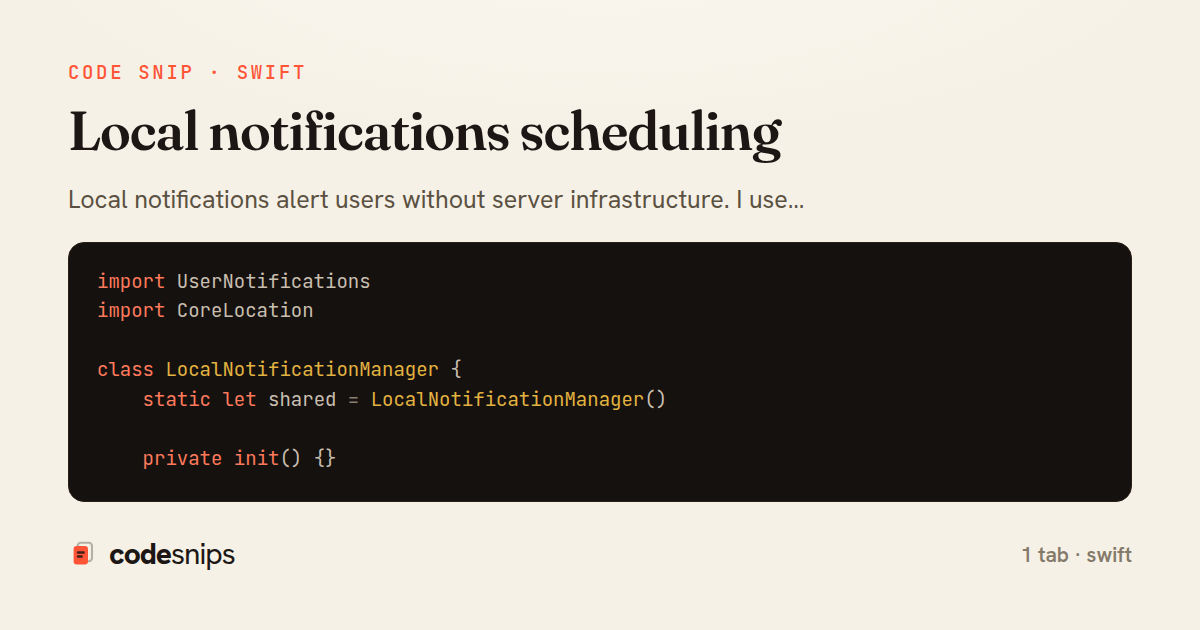
import UserNotifications
import CoreLocation

class LocalNotificationManager {
    static let shared = LocalNotificationManager()

    private init() {}

    func requestAuthorization(completion: @escaping (Bool) -> Void) {
        UNUserNotificationCenter.current().requestAuthorization(options: [.alert, .badge, .sound]) { granted, error in
            if let error = error {
                print("Error requesting notification permission: \(error)")
            }
            completion(granted)
        }
    }

    // MARK: - Time-based Notification
    func scheduleNotification(
        identifier: String,
        title: String,
        body: String,
        timeInterval: TimeInterval,
        repeats: Bool = false
    ) {
        let content = UNMutableNotificationContent()
        content.title = title
        content.body = body
        content.sound = .default
        content.badge = 1

        let trigger = UNTimeIntervalNotificationTrigger(timeInterval: timeInterval, repeats: repeats)
        let request = UNNotificationRequest(identifier: identifier, content: content, trigger: trigger)

        UNUserNotificationCenter.current().add(request) { error in
            if let error = error {
                print("Error scheduling notification: \(error)")
            }
        }
    }

    // MARK: - Calendar-based Notification
    func scheduleDailyNotification(
        identifier: String,
        title: String,
        body: String,
        hour: Int,
        minute: Int
    ) {
        let content = UNMutableNotificationContent()
        content.title = title
        content.body = body
        content.sound = .default

        var dateComponents = DateComponents()
        dateComponents.hour = hour
        dateComponents.minute = minute

        let trigger = UNCalendarNotificationTrigger(dateMatching: dateComponents, repeats: true)
        let request = UNNotificationRequest(identifier: identifier, content: content, trigger: trigger)

        UNUserNotificationCenter.current().add(request)
    }

    // MARK: - Location-based Notification
    func scheduleLocationNotification(
        identifier: String,
        title: String,
        body: String,
        coordinate: CLLocationCoordinate2D,
        radius: CLLocationDistance
    ) {
        let content = UNMutableNotificationContent()
        content.title = title
        content.body = body
        content.sound = .default

        let region = CLCircularRegion(
            center: coordinate,
            radius: radius,
            identifier: identifier
        )
        region.notifyOnEntry = true
        region.notifyOnExit = false

        let trigger = UNLocationNotificationTrigger(region: region, repeats: false)
        let request = UNNotificationRequest(identifier: identifier, content: content, trigger: trigger)

        UNUserNotificationCenter.current().add(request)
    }

    // MARK: - Notification with Actions
    func scheduleNotificationWithActions(
        identifier: String,
        title: String,
        body: String,
        timeInterval: TimeInterval
    ) {
        // Define actions
        let likeAction = UNNotificationAction(
            identifier: "LIKE_ACTION",
            title: "Like",
            options: []
        )

        let commentAction = UNNotificationAction(
            identifier: "COMMENT_ACTION",
            title: "Comment",
            options: .foreground
        )

        // Define category
        let category = UNNotificationCategory(
            identifier: "POST_CATEGORY",
            actions: [likeAction, commentAction],
            intentIdentifiers: [],
            options: []
        )

        UNUserNotificationCenter.current().setNotificationCategories([category])

        // Create notification
        let content = UNMutableNotificationContent()
        content.title = title
        content.body = body
        content.sound = .default
        content.categoryIdentifier = "POST_CATEGORY"

        let trigger = UNTimeIntervalNotificationTrigger(timeInterval: timeInterval, repeats: false)
        let request = UNNotificationRequest(identifier: identifier, content: content, trigger: trigger)

        UNUserNotificationCenter.current().add(request)
    }

    // MARK: - Cancel Notifications
    func cancelNotification(identifier: String) {
        UNUserNotificationCenter.current().removePendingNotificationRequests(withIdentifiers: [identifier])
    }

    func cancelAllNotifications() {
        UNUserNotificationCenter.current().removeAllPendingNotificationRequests()
    }

    // MARK: - Query Notifications
    func getPendingNotifications(completion: @escaping ([UNNotificationRequest]) -> Void) {
        UNUserNotificationCenter.current().getPendingNotificationRequests { requests in
            completion(requests)
        }
    }

    func getDeliveredNotifications(completion: @escaping ([UNNotification]) -> Void) {
        UNUserNotificationCenter.current().getDeliveredNotifications { notifications in
            completion(notifications)
        }
    }

    // MARK: - Badge Management
    func setBadgeCount(_ count: Int) {
        DispatchQueue.main.async {
            UIApplication.shared.applicationIconBadgeNumber = count
        }
    }

    func clearBadge() {
        setBadgeCount(0)
    }
}
Local notifications alert users without server infrastructure. I use UNUserNotificationCenter to schedule notifications at specific times or locations. Creating a notification requires UNMutableNotificationContent with title, body, and sound, plus a trigger like UNTimeIntervalNotificationTrigger or UNCalendarNotificationTrigger. Notification categories enable custom actions—users can respond directly from notifications. For repeating notifications, I set repeats: true on triggers. Location-based notifications use UNLocationNotificationTrigger with CLCircularRegion. Badge counts show unread notification counts. Notification management includes pending and delivered notifications queries. Proper permission requests explain notification value to users.
Related snips
import Combine
import Foundation

class SearchViewModel: ObservableObject {
    @Published var searchQuery = ""
    @Published var results: [SearchResult] = []
Combine operators for data transformation
import SwiftUI

struct ContentView: View {
    @State private var username = ""
    @State private var isLoggedIn = false
    @StateObject private var viewModel = LoginViewModel()
SwiftUI declarative UI with state management
import SwiftUI

struct CardModifier: ViewModifier {
    var backgroundColor: Color = .white
    var cornerRadius: CGFloat = 12
    var shadowRadius: CGFloat = 5
Custom SwiftUI view modifiers for reusability
import Foundation
import UIKit

class ImageProcessor {
    // Background processing with main thread updates
    func processImage(_ image: UIImage, completion: @escaping (UIImage?) -> Void) {
Grand Central Dispatch for concurrency
package com.example.myapp.utils

import android.app.NotificationChannel
import android.app.NotificationChannelGroup
import android.app.NotificationManager
import android.app.PendingIntent
Notification channels and categories
import SwiftUI

enum Route: Hashable {
    case postDetail(id: Int)
    case userProfile(id: Int)
    case settings
Navigation patterns with NavigationStack
Share this code
Here's the card — post it anywhere.