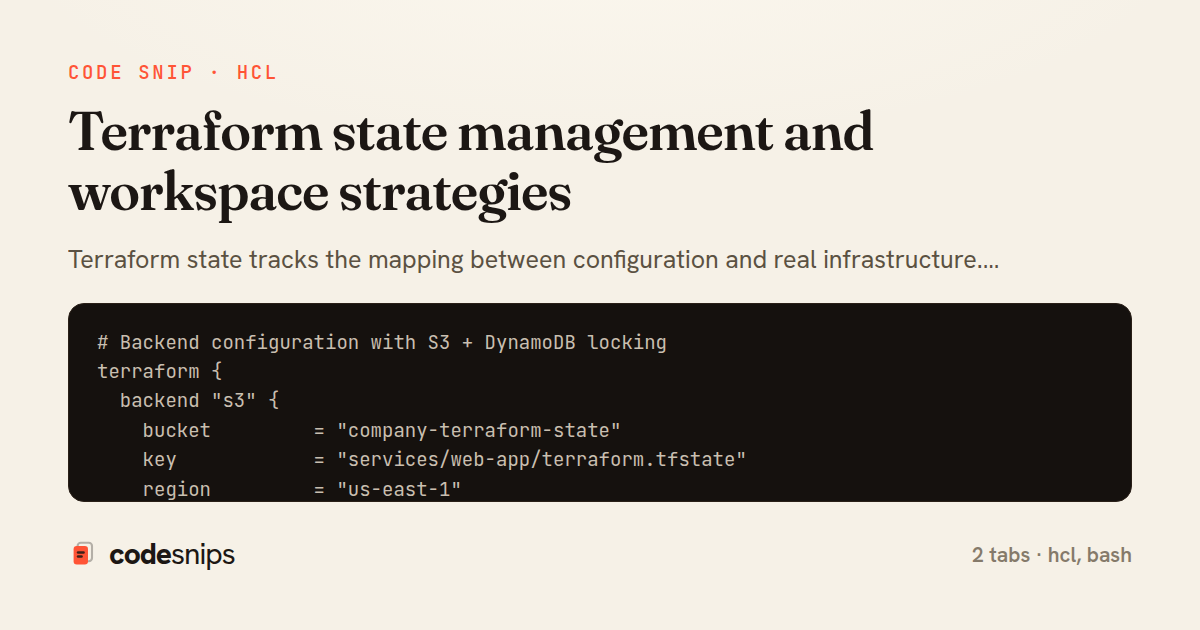
# Backend configuration with S3 + DynamoDB locking
terraform {
  backend "s3" {
    bucket         = "company-terraform-state"
    key            = "services/web-app/terraform.tfstate"
    region         = "us-east-1"
    dynamodb_table = "terraform-state-locks"
    encrypt        = true
    kms_key_id     = "arn:aws:kms:us-east-1:123456789:key/abcd-1234"

    # Enable versioning on the S3 bucket for state history
  }
}

# DynamoDB table for state locking
resource "aws_dynamodb_table" "terraform_locks" {
  name         = "terraform-state-locks"
  billing_mode = "PAY_PER_REQUEST"
  hash_key     = "LockID"

  attribute {
    name = "LockID"
    type = "S"
  }

  tags = {
    Purpose = "Terraform state locking"
  }
}

# S3 bucket for state storage
resource "aws_s3_bucket" "terraform_state" {
  bucket = "company-terraform-state"

  lifecycle {
    prevent_destroy = true
  }
}

resource "aws_s3_bucket_versioning" "terraform_state" {
  bucket = aws_s3_bucket.terraform_state.id
  versioning_configuration {
    status = "Enabled"
  }
}

resource "aws_s3_bucket_server_side_encryption_configuration" "terraform_state" {
  bucket = aws_s3_bucket.terraform_state.id
  rule {
    apply_server_side_encryption_by_default {
      sse_algorithm     = "aws:kms"
      kms_master_key_id = aws_kms_key.terraform.id
    }
  }
}

resource "aws_s3_bucket_public_access_block" "terraform_state" {
  bucket                  = aws_s3_bucket.terraform_state.id
  block_public_acls       = true
  block_public_policy     = true
  ignore_public_acls      = true
  restrict_public_buckets = true
}

# Read outputs from another state (networking)
data "terraform_remote_state" "networking" {
  backend = "s3"
  config = {
    bucket = "company-terraform-state"
    key    = "infrastructure/networking/terraform.tfstate"
    region = "us-east-1"
  }
}

# Use networking outputs
resource "aws_instance" "web" {
  subnet_id = data.terraform_remote_state.networking.outputs.private_subnet_ids[0]
  vpc_security_group_ids = [
    data.terraform_remote_state.networking.outputs.app_security_group_id
  ]
}

# Workspace-aware configuration
locals {
  environment = terraform.workspace

  config = {
    production = {
      instance_type = "t3.large"
      min_size      = 3
      max_size      = 10
      multi_az      = true
    }
    staging = {
      instance_type = "t3.medium"
      min_size      = 1
      max_size      = 3
      multi_az      = false
    }
    development = {
      instance_type = "t3.small"
      min_size      = 1
      max_size      = 1
      multi_az      = false
    }
  }

  env_config = local.config[local.environment]
}

resource "aws_autoscaling_group" "web" {
  min_size         = local.env_config.min_size
  max_size         = local.env_config.max_size
  desired_capacity = local.env_config.min_size
}
#!/bin/bash
# Terraform state management commands

# List all resources in state
terraform state list

# Show specific resource details
terraform state show aws_instance.web

# Move resource (rename)
terraform state mv aws_instance.web aws_instance.app

# Move resource to a module
terraform state mv aws_instance.web module.compute.aws_instance.web

# Remove from state (without destroying)
terraform state rm aws_instance.legacy

# Import existing resource into state
terraform import aws_instance.web i-1234567890abcdef0
terraform import 'aws_security_group.web' sg-0123456789abcdef0
terraform import 'module.vpc.aws_vpc.main' vpc-0123456789

# Pull remote state to local file
terraform state pull > state_backup.json

# Push local state to remote
terraform state push state_backup.json

# Workspace commands
terraform workspace list
terraform workspace new staging
terraform workspace select production
terraform workspace show

# Force unlock (if lock is stuck)
terraform force-unlock LOCK_ID

# Taint resource (force recreation on next apply)
terraform taint aws_instance.web
# Or use -replace flag
terraform apply -replace=aws_instance.web
Terraform state tracks the mapping between configuration and real infrastructure. Remote state backends like S3, GCS, or Terraform Cloud enable team collaboration. DynamoDB provides state locking to prevent concurrent modifications. The terraform_remote_state data source reads outputs from other state files. State splitting separates concerns—networking, compute, and databases in separate states. Workspaces (terraform workspace) create isolated state per environment from the same configuration. The terraform state mv command refactors resources between states. terraform import brings existing infrastructure under management. State encryption protects sensitive values. terraform state rm removes resources from state without destroying them. Regular state backups prevent data loss.
Related snips
# AWS Lambda Function with API Gateway trigger

# === Lambda function ===
resource "aws_lambda_function" "api_handler" {
  function_name = "${var.project}-api-handler"
  description   = "API request handler for ${var.project}"
AWS Lambda serverless functions with Terraform
import { create } from 'zustand'
import { persist } from 'zustand/middleware'

interface FilterState {
  search: string
  category: string | null
Zustand for lightweight state management
import SwiftUI

struct ContentView: View {
    @State private var username = ""
    @State private var isLoggedIn = false
    @StateObject private var viewModel = LoginViewModel()
SwiftUI declarative UI with state management
// Express app with health checks and graceful shutdown
const express = require('express');
const { createServer } = require('http');

const app = express();
const server = createServer(app);
Container health checks and graceful shutdown patterns
/* Interactive pseudo-classes */
a:link { color: blue; }
a:visited { color: purple; }
a:hover { text-decoration: underline; }
a:active { color: red; }
a:focus { outline: 2px solid orange; }
CSS pseudo-classes and pseudo-elements for advanced styling
# RDS PostgreSQL instance
resource "aws_db_instance" "main" {
  identifier = "${var.project_name}-db"

  engine         = "postgres"
  engine_version = "16.1"
Terraform AWS RDS and ElastiCache provisioning
Share this code
Here's the card — post it anywhere.